Remove Backgrounds From Product Photos for Free (Ecommerce Guide)
March 30, 20265 min read
Why Clean Backgrounds Matter for Ecommerce
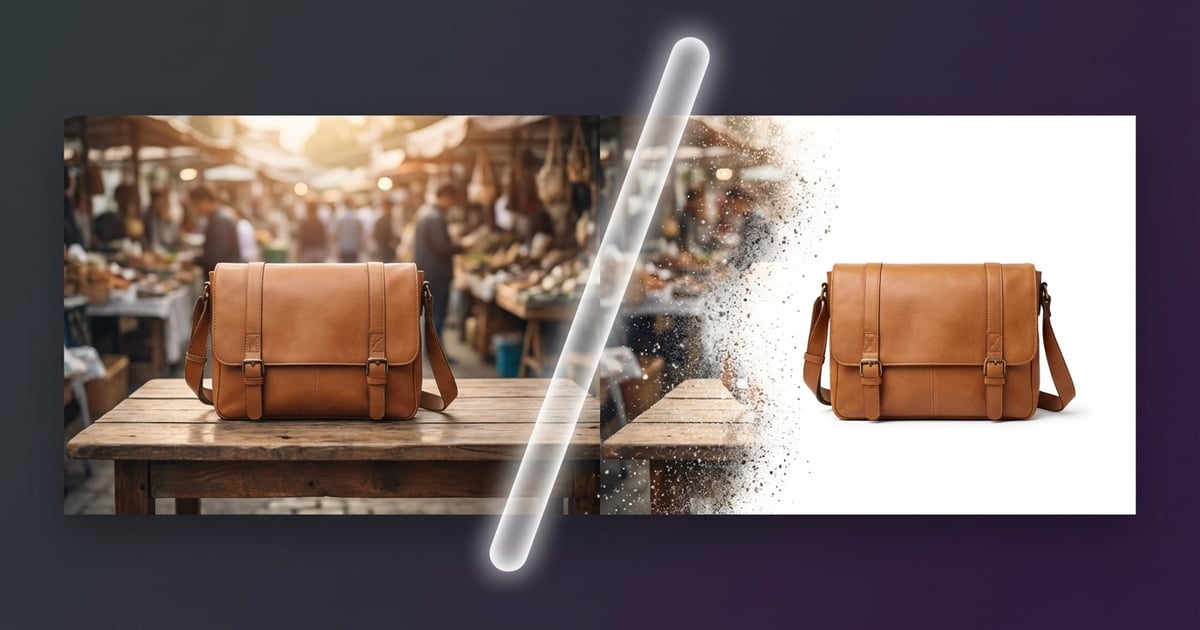
Product photos with messy backgrounds are conversion killers. Amazon actually requires a pure white background for main listing images — fail to comply and your listing might get suppressed. eBay and Etsy have similar guidelines. But beyond marketplace rules, clean backgrounds just look more professional. Studies show products on white backgrounds convert 20-30% better than those shot on cluttered surfaces. Shoppers want to see the product, not your kitchen table. A clean background removes distractions and lets the item speak for itself. It's the easiest upgrade most sellers overlook.
AI-Powered vs Manual Background Removal
Back in the day, removing backgrounds meant hours in Photoshop with the pen tool, carefully tracing around every edge. Now AI handles it in seconds, and honestly, the results are impressive. Modern AI models can detect edges around complex shapes — hair, fur, translucent objects — that would take a human designer ages to mask properly. Manual editing still wins for tricky edge cases like glass bottles or products with fine mesh patterns. But for 90% of standard product photos, AI removal gets you there faster and cheaper. The technology has gotten remarkably good in the past couple of years.
Tips for Getting the Best Results
Even with AI doing the heavy lifting, your input photo matters a lot. Shoot your product against a high-contrast background — a dark product on a light surface, or vice versa. Good, even lighting reduces shadows that can confuse the AI. Avoid placing products on textured surfaces like wood grain or patterned fabric. Keep the product fully in frame with some breathing room around the edges. If you're shooting clothing, use a mannequin or lay it flat rather than bunching it up. These small changes in your photography setup can dramatically improve the AI's accuracy.
Using ToolPic's Background Remover
ToolPic's background remover runs entirely in your browser using client-side AI — meaning your product photos never get uploaded to any server. That's a big deal if you're handling unreleased products or sensitive inventory photos. Just open the tool, drop in your image, and watch the AI work. It typically takes 2-5 seconds per image. You can download the result as a PNG with a transparent background, which is perfect for placing on white or any color background later. The tool works great on most product categories — electronics, clothing, accessories, and food packaging all get clean results.